
You already know how to build websites with Bricks Builder.
But knowing how to build a website and finding someone willing to pay you to build one are two very different things.
The difficult part isn't always the development. It's finding the right opportunities and convincing a business owner that you're the right person to help.
You can wait for referrals, compete for projects on job boards, or send cold messages saying, "Do you need a new website?"
But here's the problem: business owners receive plenty of generic offers from freelancers.
Simply telling them that you build websites doesn't give them much reason to respond.
What if you approached them with something already designed for their business?
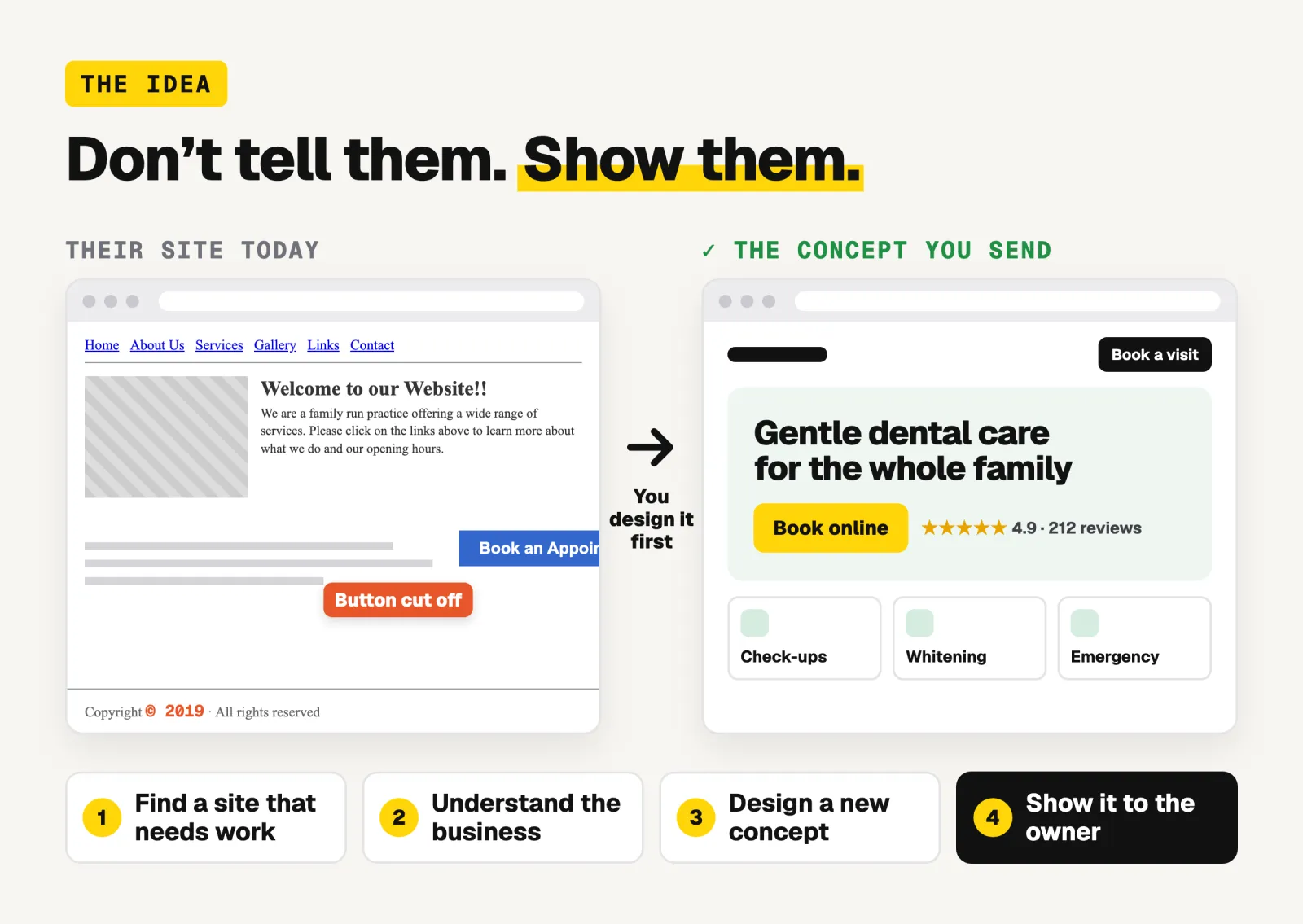
Instead of just offering your services, find a business whose website could be improved, understand what the business needs, create a new website design concept, and show the owner what you have in mind.
You're not just telling them what you can do. You're showing them.
In this guide, I'll walk you through the entire process, step by step:
Find websites that show signs of potential improvement.
Investigate the websites and understand the businesses behind them.
Identify specific problems and opportunities.
Use Claude Design to analyze the website and generate a new design concept.
Record a short video explaining your redesign and send it to the business owner.
Once the client approves the concept and agrees to the project, use Bricks Builder MCP with AI to turn the design into a real website.
Follow up, manage your prospects, and turn opportunities into projects.
You can follow this process manually.
In Step 2, I'll also introduce you to Client Finder, a tool I built for Bricks Mastery to help you find and filter websites based on their technologies and signs of potential improvement.
Let's get started.
Why showing value first works
Compare these two messages.
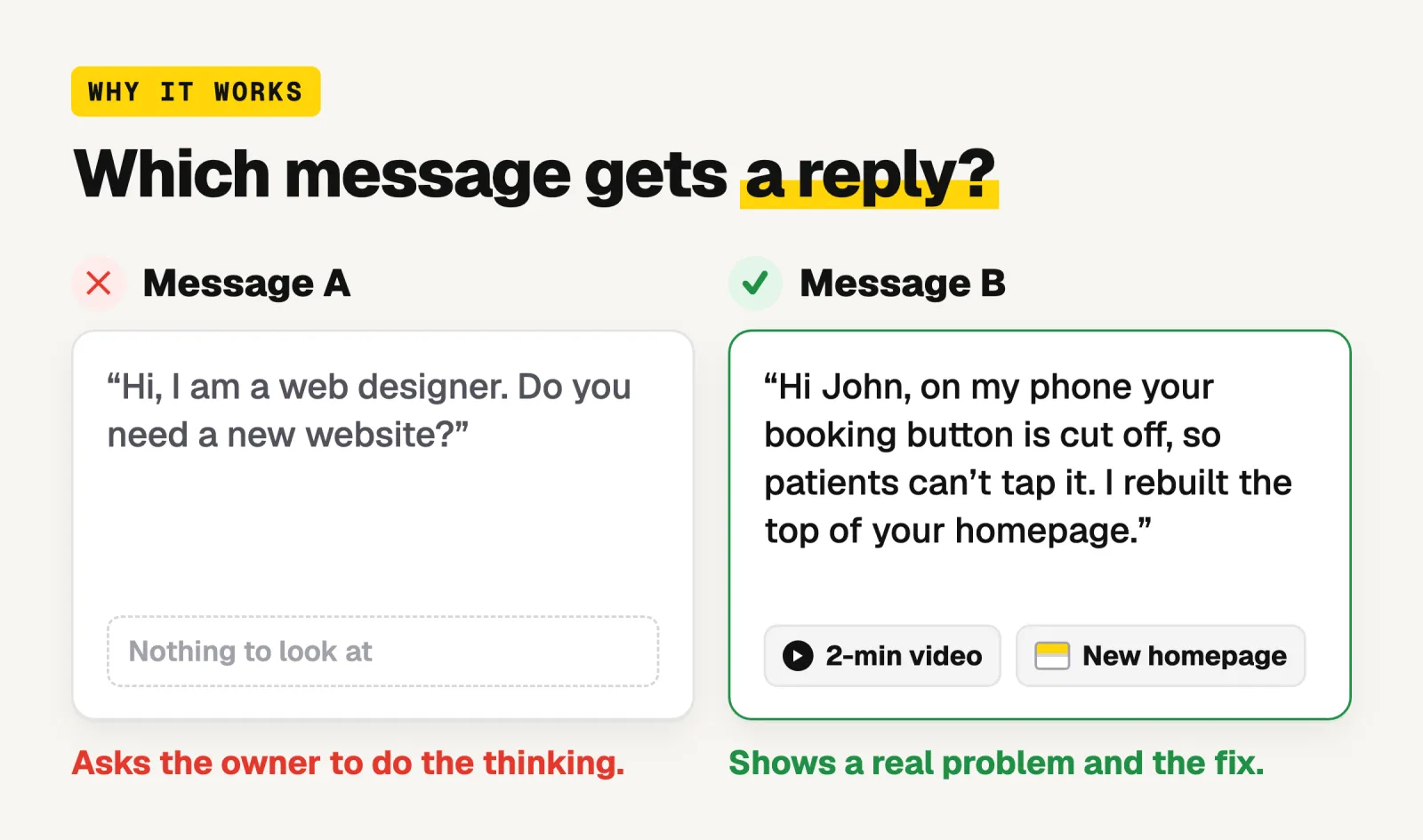
Message A: 'Hi, I am a web designer. Do you need a new website?'
Message B: 'Hi John, I opened your clinic's website on my phone and the booking button is cut off, so patients can't tap it. I rebuilt the top of your homepage to show how it could look. Here is a 2 minute video.
Message A asks the owner to do the thinking. Message B has already done it.
It shows you looked at their business, found a real problem, and can fix it.
Even if they don’t hire you, you gave them something useful, and that is what gets replies.
Step 1: Choose who you want to work with
Pick one type of business and one place.
For example:
Dentists in Texas
Law firms in Manchester
Roofing companies in your own country/city
Staying with one type of business makes everything after this easier:
Your concepts are reusable: Most dentist websites need the same sections: services, booking, reviews, location.
You learn what they care about: After a few conversations you know which problems matter to them.
Each pitch gets faster: The first one takes the longest. The fifth takes a fraction of the time.
A good choice is a business where one new customer is worth a lot of money, such as clinics, law firms, contractors and home services.
For them, a better website pays for itself quickly, so the price of a redesign is easier to say yes to.
One recommendation: Don't overthink your niche. Pick one and location, start researching websites, and learn from the opportunities you find.
Step 2: Find businesses whose websites need work
The slow way
Open Google Maps, search for your type of business, and click through the websites one by one. It works, but most of the sites you open will be fine, and you are guessing the whole time.
The quick way: Client Finder
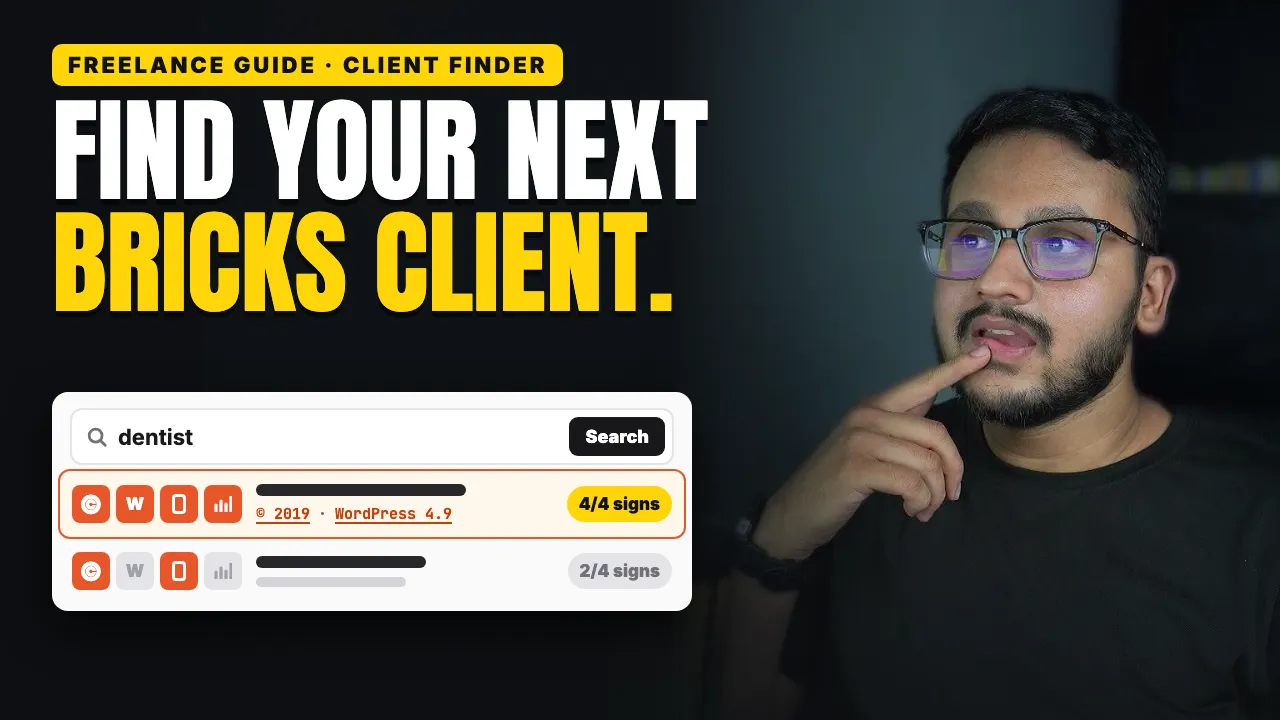
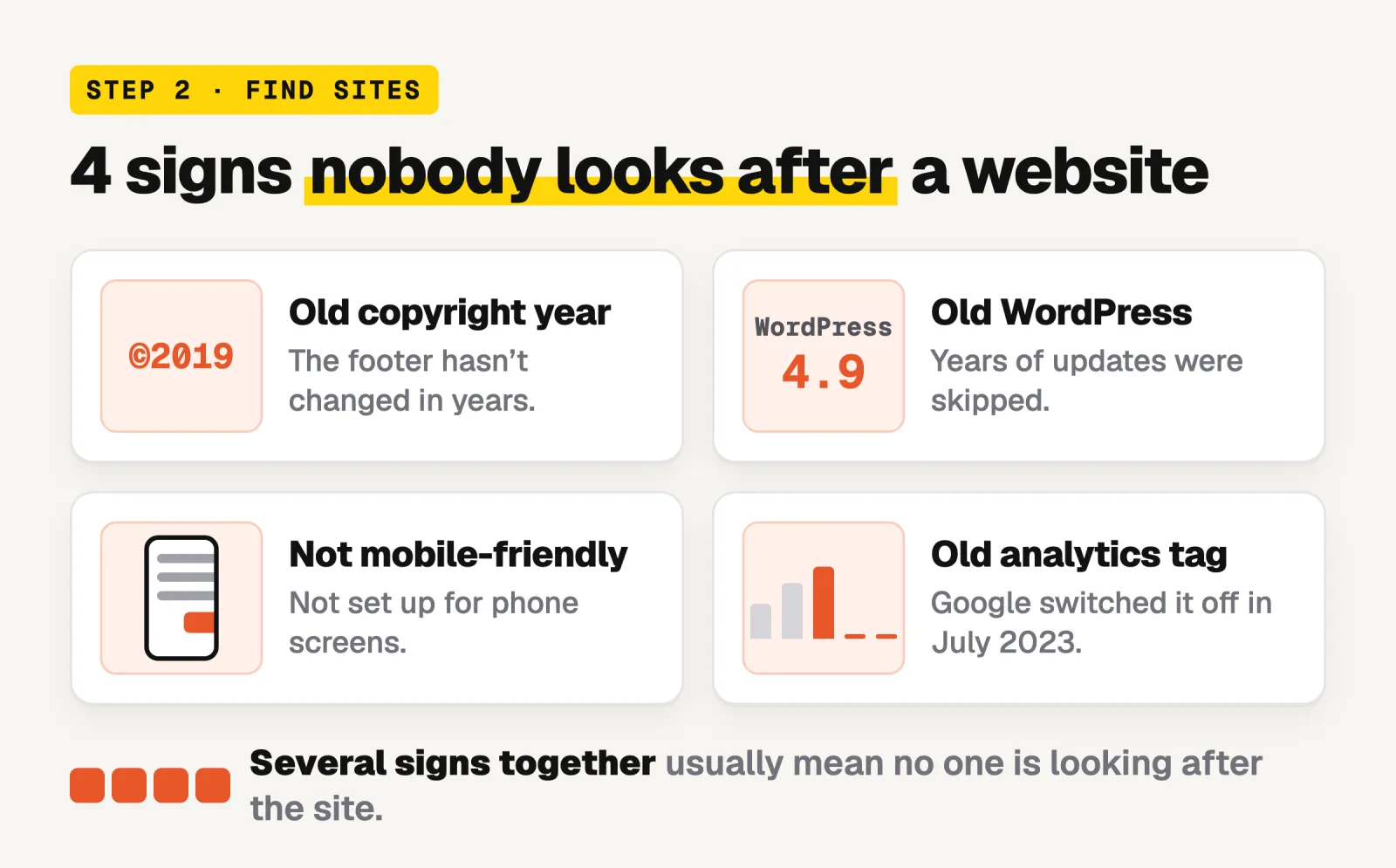
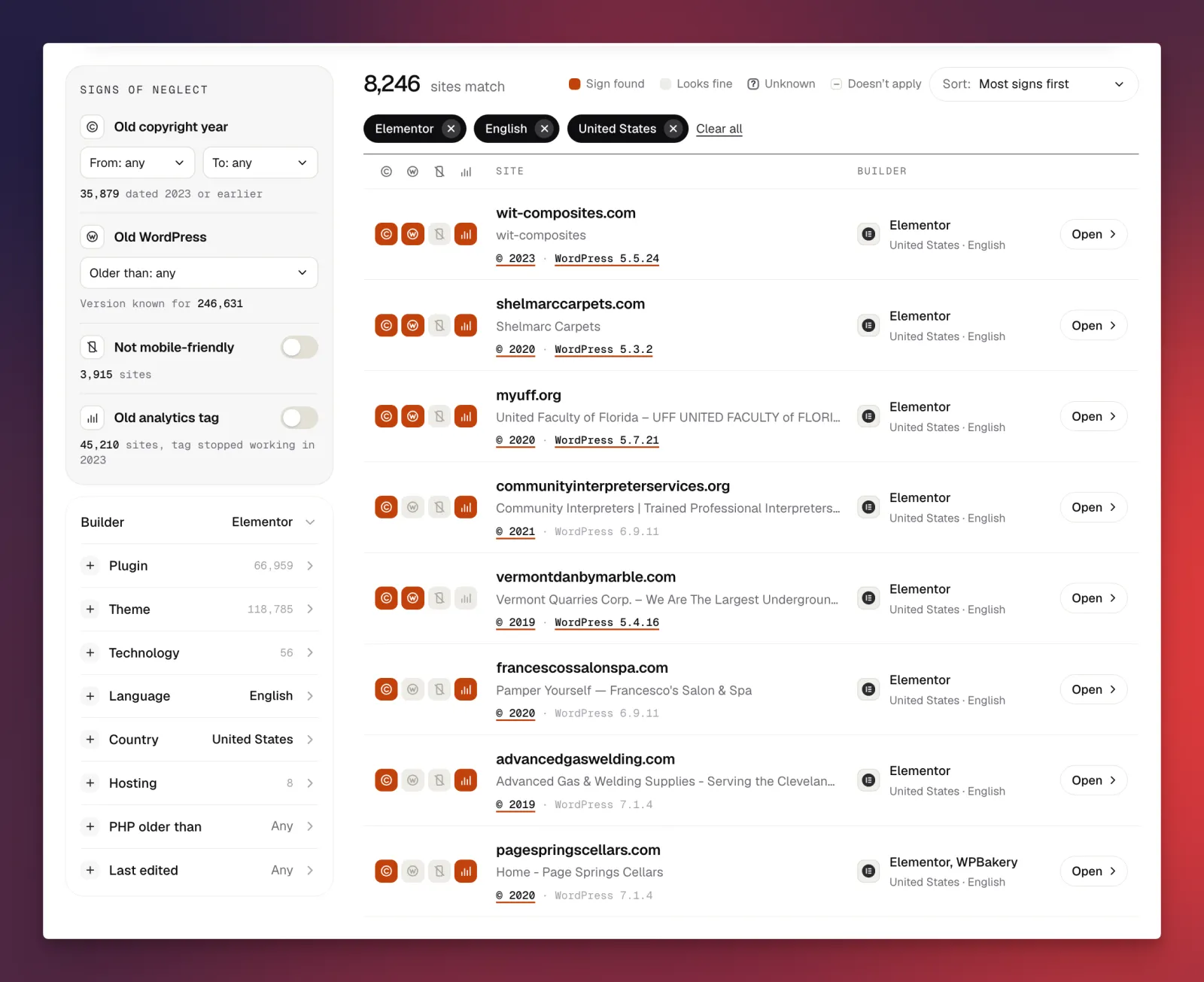
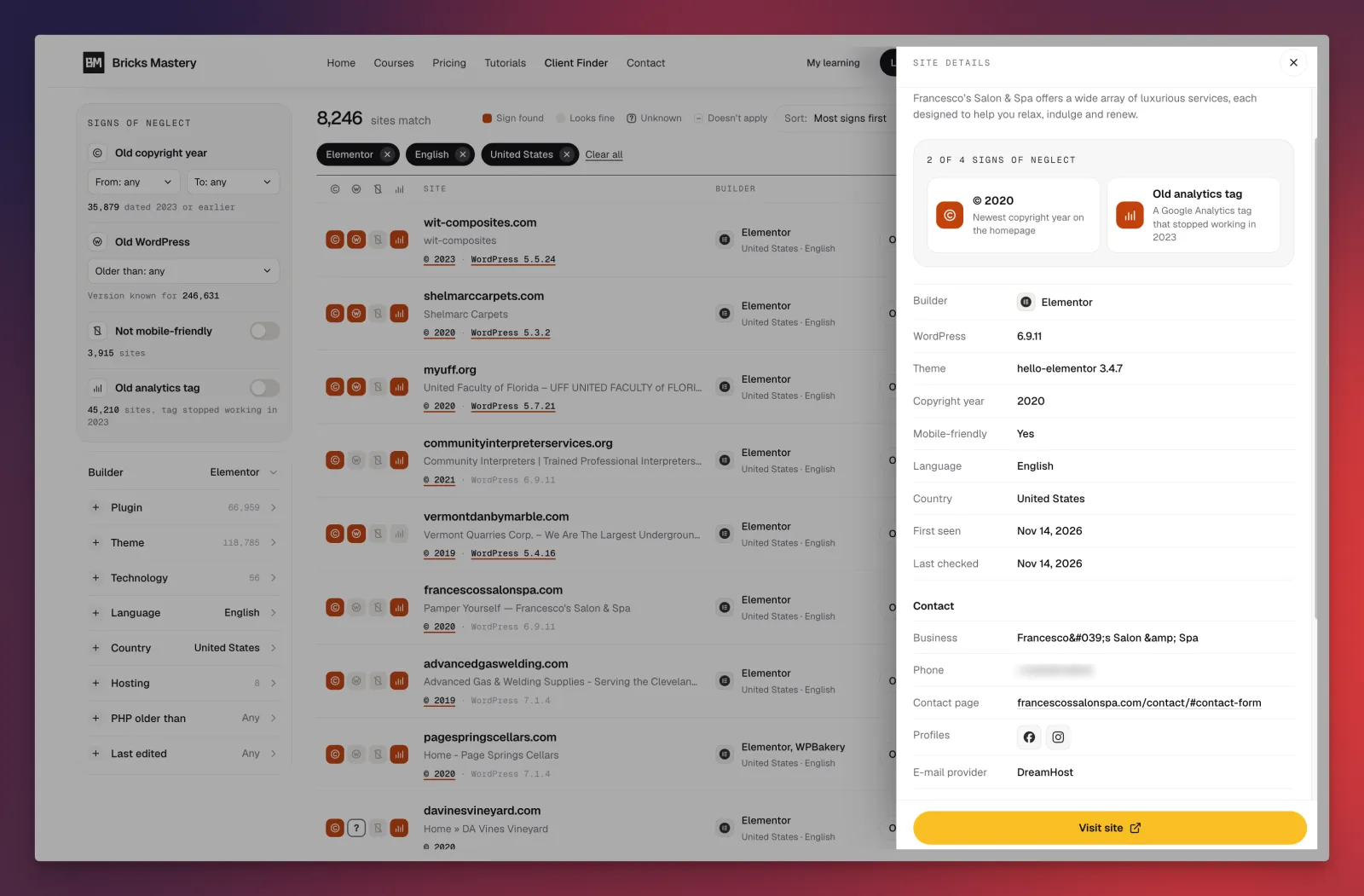
Client Finder is a searchable directory of more than 350k+ websites. Every site in it has been checked for four signs of neglect:
Old copyright year: The footer still says something like © 2019. Nobody has touched the site in years.
Old WordPress: The site runs a WordPress version that is years behind. Nobody is maintaining it.
Not mobile-friendly: The site is not set up for phone screens.
Old analytics tag: The site still uses the old Google Analytics, which Google switched off in July 2023.
A site with several of these signs is very likely a site with no one looking after it.
Please Note: Client Finder is a tool I'm personally building for Bricks Mastery. It's not just a collection of randomly crawled websites or a dump of data.
I'm developing it using multiple signals, rules, and AI-powered classifications to identify websites that show signs of needing improvement and help prioritize which ones are worth investigating.
My goal is simple: I don't want to give you millions of random websites. I want to help you find websites that could become your next clients.
There are many ways to identify potential opportunities.
For example, you could find WordPress websites built with Elementor or WPBakery that you could approach with a proposal to rebuild them using Bricks Builder. That's just one example. You can use different combinations of website builders, technologies, plugins, and other signals to find businesses that could benefit from the services you offer.
Disclaimer: You may occasionally come across websites or information that isn't useful or relevant. If you do, please report it through our support channel. I'll personally investigate the report and remove the listing if it doesn't meet our criteria.
How to use it
Open Client Finder
Type your type of business in the search box, for example "dentist". The search looks at each site's address, title and description.
Pick a country, and a language if you need one.
Turn on one or two signs of neglect. A good start: set the copyright year to "To: 2021" and switch on "Not mobile-friendly".
Choose a builder (optional). As a Bricks freelancer, sites built with Elementor, Divi or WPBakery, or on WordPress with no builder at all, are natural candidates for a rebuild.
Press Search. The sites with the most signs come first. Each row shows four small squares, one per sign. A filled square means that sign was found.
Open a site to see its details. You get the WordPress version, theme, copyright year, PHP version and hosting company where they are known, plus the contact details found on the site: business name, email address, phone number, contact page and social profiles.
There are more filters if you want to go narrower: plugin, theme, hosting company, PHP version, and when the site was last edited.
How many sites to pick
Pick 10 sites, not 100. This process is about a few careful pitches, not a mass mailing.
About access: Client Finder is part of the Bricks Mastery All-Access Pass, with up to 300 searches a day. A free account gets 3 searches that show 5 sites each, so you can try it first. Site details and contact information are part of the pass.
Step 3: Check each site and write down what is wrong
The signs tell you where to look. Now confirm them with your own eyes. Data can be out of date, and you don’t want to tell someone their site is broken a week after they relaunched it.
Spend about 10 minutes on each site:
Open it on your phone. Can you read it without zooming? Can you tap the buttons?
Run it through PageSpeed Insights (a free tool from Google). Write down the mobile score.
Do the 5 second test. Is it clear what the business does and how to contact them?
Look for one clear action. Is there an obvious button to call, book or ask for a quote?
Look for stale content. Old dates, broken images, links that go nowhere.
Then write down 2 or 3 problems in plain words. Business owners don’t care about technical details. They care about customers. So translate:
Don't Say -> What to Say:
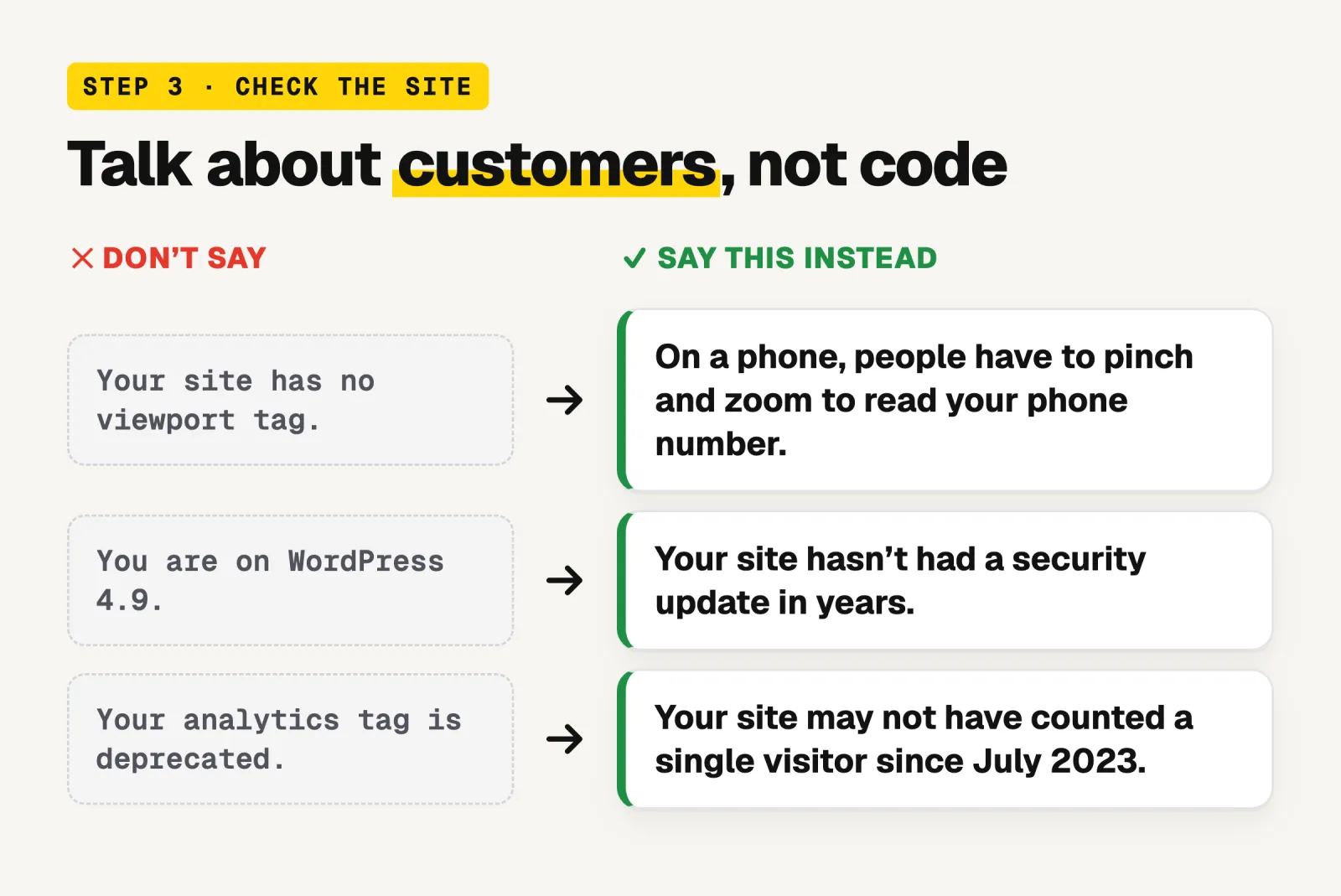
Your site has no viewport tag -> On a phone, people have to pinch and zoom to read your phone number.
You are on WordPress 4.9. -> Your site has not had a security update in years.
Your analytics tag is deprecated -> Your site may not have counted a single visitor since July 2023
Drop any site that looks fine, or where the business seems to have closed. From 10 sites you will probably keep about 5.
Step 4: Create a Website Redesign Concept Using Claude Design
This is where you can set yourself apart from other freelancers.
Instead of simply telling a business owner what you could do for their website, show them.
For this, use Claude Design along with the website analysis and redesign prompt I've attached as a resource to this post.
The prompt guides Claude through understanding the business, analyzing its existing website, identifying conversion problems, improving its messaging, and developing a completely new visual direction.
Here's how the process works:
1. Give Claude the Existing Website URL
Copy the attached prompt and replace the example website URL with the URL of your potential client's website.
The prompt instructs Claude to analyze the business, understand its target audience, evaluate its existing website, identify weaknesses, and develop a better website strategy.
2. Let Claude Design analyze the business and its website.
Based on the analysis, Claude will develop a new design direction for the business.
This goes beyond simply changing colors or typography. It considers the business's actual services, target audience, messaging, content structure, and conversion goals.
The objective is to create a website that looks and communicates better while remaining relevant to the business.
3. Review the Design and Prepare Your Presentation
Once Claude has generated the redesign, review the result.
Check that the design reflects the actual business, uses appropriate content and branding, and addresses the problems you identified.
You don't need to build the entire website in Bricks Builder at this stage. The visual design is what you want to present to the potential client.
4. Record a Short Video Briefing
This is an important part of your pitch.
Record a 2–3 minute video explaining your redesign concept.
Here's what to cover:
Briefly show their existing website.
Explain the main issues you identified.
Present your redesigned website.
Highlight the most important design and structural improvements.
Explain how these changes could create a better experience for their customers.
Don't just show them a different design. Explain the thinking behind it.
5. Send the Design and Video to the Business Owner
Now you have something meaningful to share.
Send the business owner the redesign concept along with your video briefing.
Your message could be something like:
"I came across your website and noticed a few opportunities to improve its design, structure, and overall user experience. I put together a redesign concept to show you what a new direction could look like.
I've also recorded a short video explaining the changes and why I made them.
I'd love to hear what you think."
You're no longer sending a generic message asking whether they need a website.
You're presenting an idea specifically created for their business.
6. Get Their Approval and Turn the Design Into a Real Website
This is where Bricks Builder comes in.
Once the business owner likes the concept, agrees on the direction, and decides to move forward with the project, you can use Bricks Builder MCP with an AI coding assistant to turn the approved design into a real, working Bricks Builder website.
Instead of starting your project with a blank canvas, you already have an agreed visual direction to work from.
You can use AI-assisted development to help implement the layouts, sections, components, and responsive designs inside Bricks Builder.
Now you're moving from a redesign concept to an actual client project.
The Complete Workflow
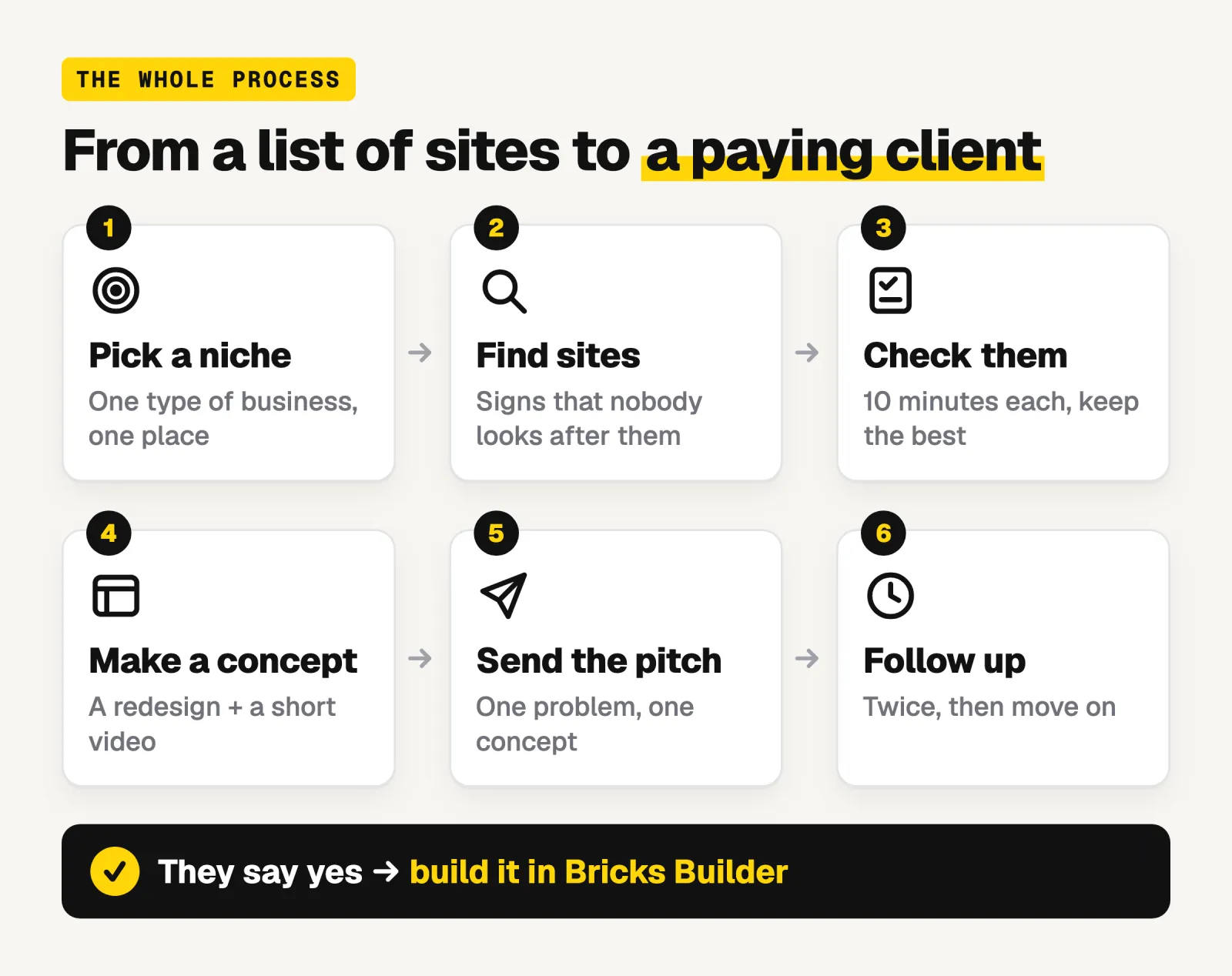
Find a potential client using Client Finder.
Analyze their existing website.
Use the attached prompt with Claude Design.
Generate a new website design concept.
Record a short video explaining the redesign.
Send the design and video to the potential client.
Get their approval and agree on the project.
Use Bricks Builder MCP with AI to implement the approved design.
The key idea: Don't spend hours building a complete website before you have a client. Show them what you can create first. Once they agree to work with you, turn that design into a real Bricks Builder website.
Step 5: Send a Pitch That Leads With Your Redesign Concept
Now you have something most freelancers don't include in their initial outreach: a redesign concept created specifically for the business, along with a short video explaining your work.
Use these to make your introduction more meaningful.
Keep your message short. It needs four things:
Who you are and what you do.
One specific opportunity you noticed on their website.
A link to your redesign concept and video briefing.
A simple invitation to discuss it.
Example email
Subject: I put together a new homepage concept for [Business Name]
Hi [Name],
I came across [Business Name]'s website and noticed that [mention one specific issue or opportunity in plain language].
I'm a web designer specializing in Bricks Builder, and I created a homepage redesign concept to show how your website could look with a clearer structure and improved user experience.
I also recorded a short video explaining the changes I made and why:
Redesign concept: [Link to your design]
2–3 minute video walkthrough: [Link to your video]
I'd love to hear what you think. If you like the direction, would you be open to a quick 15-minute call to discuss how we could bring this design to life?
Thanks,
[Your Name]
[Your Website]
A few rules to follow
Focus on one problem: Don't list every issue you found. Save the other observations for your video or a later conversation.
Make it personal: Mention something specific about their actual website so the message doesn't feel like a generic template.
Don't criticize their existing website.:The owner may have invested a lot of time and money in it. Explain what could be improved rather than calling their website outdated or bad.
Share both the design and video.:The design lets them see the possibilities, while your video explains the thinking behind your decisions.
Keep the video short: Two to three minutes is enough to show the existing website, introduce your concept, and explain the most important improvements.
Send messages individually: Research each business and personalize your outreach. Avoid sending the same message to hundreds of businesses.
Use appropriate contact channels: Contact businesses through their publicly provided professional email addresses or other appropriate channels. Identify yourself honestly and respect requests not to be contacted.
Don't limit yourself to email
Email isn't the only way to approach potential clients.
Depending on the business, you can also use:
LinkedIn: Contact the business owner or relevant decision-maker and share your concept.
Contact forms: Use the business's website contact form when appropriate.
Phone calls: Introduce yourself and ask whether you can share a redesign concept.
In-person visits: For local businesses, you can visit and show the concept on your phone or laptop.
The important thing is that you have something specific to show, regardless of how you make the introduction.
Remember: You're not asking someone to imagine what you can do for their website. You've already created a concept that demonstrates it. Let the work start the conversation.
Step 6: Follow up and keep track
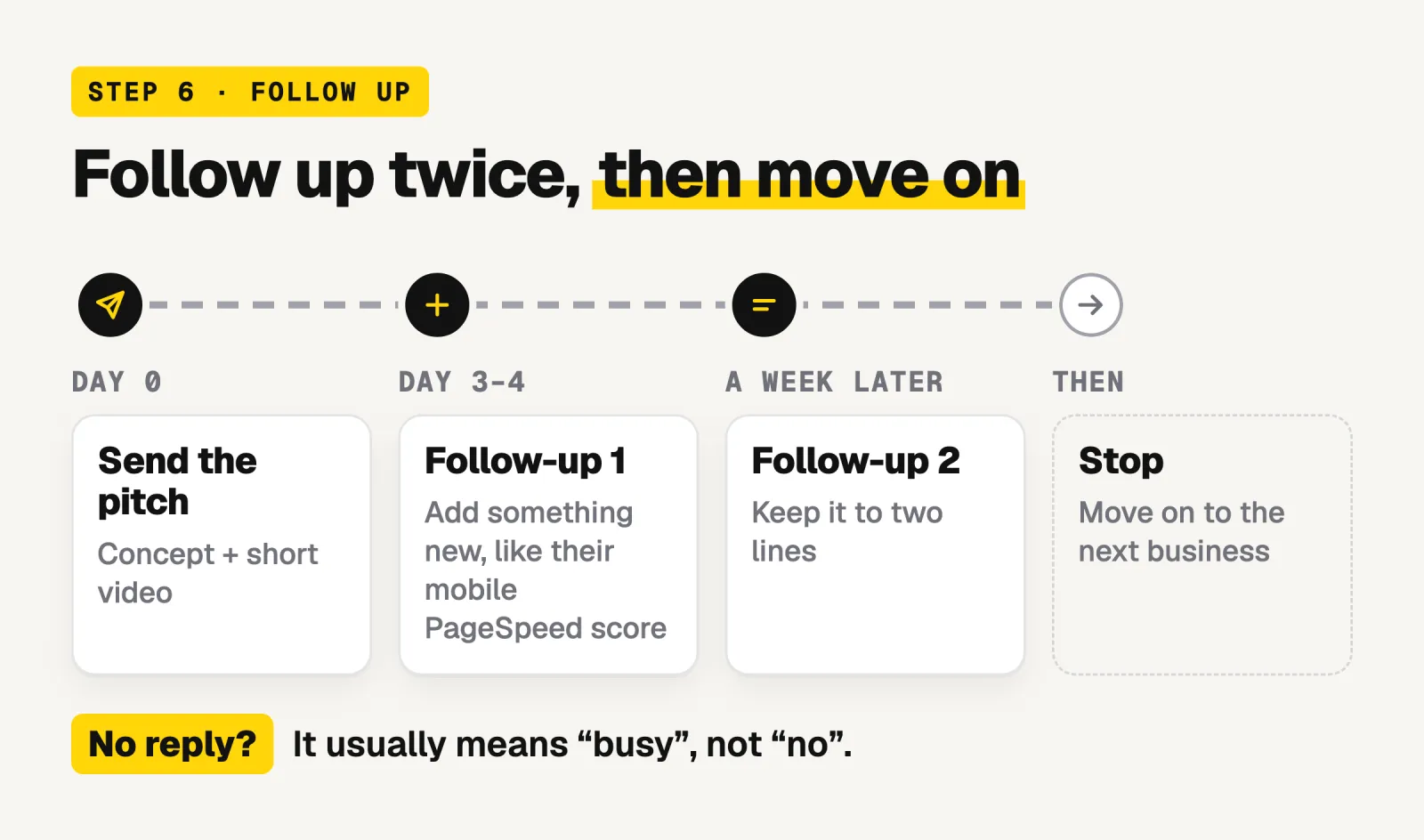
Most people will not reply to the first message. That is normal, and it usually means 'busy', not 'no'.
Follow up once after 3 or 4 days: Add something new, such as their mobile PageSpeed score.
Follow up once more a week later: Keep it to two lines.
Then stop: Move on to the next business.
When someone replies, don’t send a price straight away. Get them on a short call, ask what they want from the website, and then send a proposal.
A simple weekly routine
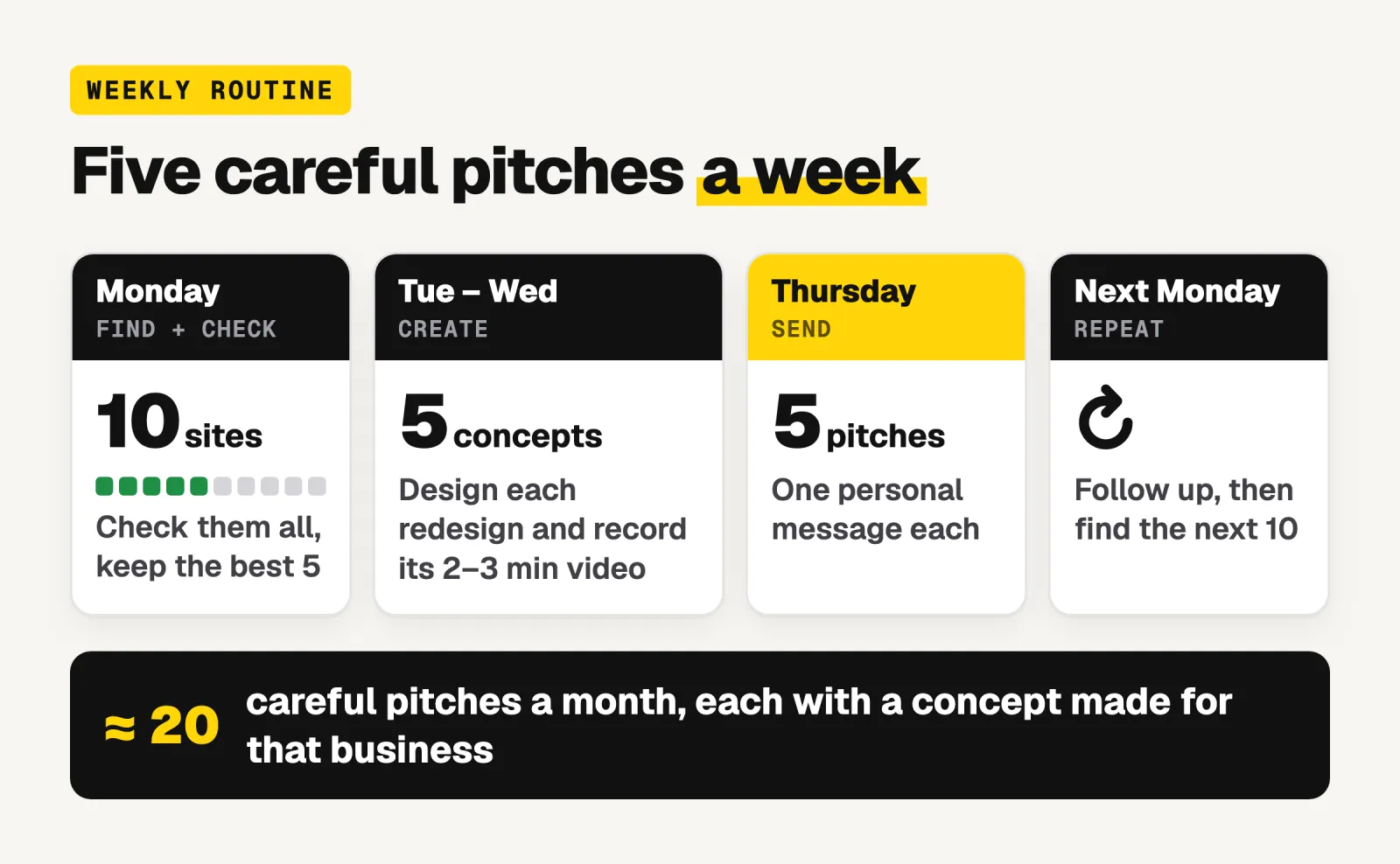
Monday: Find 10 sites. Check them. Keep the best 5.
Tuesday and Wednesday: Build 5 small concepts and record the videos.
Thursday: Send 5 pitches.
The following Monday: Send follow-ups, then start the next 10.
Five careful pitches a week adds up to about 20 a month, each one sent to a business with a real problem and a concept made for them.
Mistakes to avoid
Sending the same message to everyone. People can tell.
Leading with technical words. Talk about customers, calls and bookings.
Building a whole website for free. One section is enough to make the point.
Skipping the check in step 3. Always confirm a problem yourself before you mention it.
Giving up after one message. Many replies come from the follow-up.
Start with one
You don't need a big audience, ads or a long list of contacts to find clients as a Bricks freelancer. You need a short list of businesses with a real problem, and proof that you can solve it.
Pick one type of business. Find ten sites that need work. Build one concept. Send one pitch.
If you want to skip the guessing, try Client Finder and find your first ten sites today.